Your Librarian

Get Help Now!
- Call (208) 426-3301
- Text (208) 546-9982
My Subject Guides

Quick Response Code
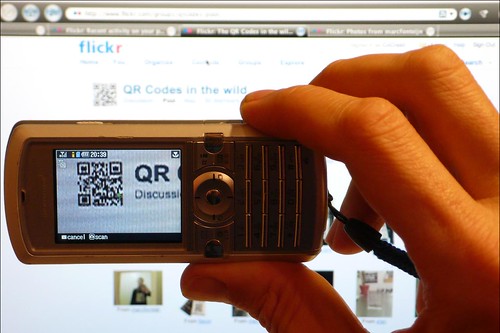
Photo by CoCreatr
A QR Code (short for "Quick Response") is a barcode that contains data that can be read by a phone's camera. Most smartphones come equipped with software that allows them to download a QR Code reader. Once you download a reader, the phone's camera acts like a scanner, allowing it to "read" the barcode.
Since the June 2019 update patch, Android phones running Android 8 (Oreo) and above can scan QR Codes using the phone's native camera app. Apple phones have this camera functionality as well.
These codes, once scanned by your phone, can provide you with a URL, contact information, SMS, or similar links to information right on your phone. Think of it as a black and white link, or a heavily pixelated one.
In order to read a QR code, your phone needs to have a code reader. You can find a long list of readers to download to your phone (iPhone, Android, and more) at http://www.mobile-barcodes.com/qr-code-software/.
Common Craft Video
From the Common Craft website: This video explains how QR codes are changing the way we access information in the real world through scanning a new kind of code with a camera phone. It teaches:
- How barcodes and QR codes are similar
- What happens when you scan a QR code with your camera phone
- What scenarios are useful for QR codes and what's needed to scan them
- How QR Codes make the real world clickable